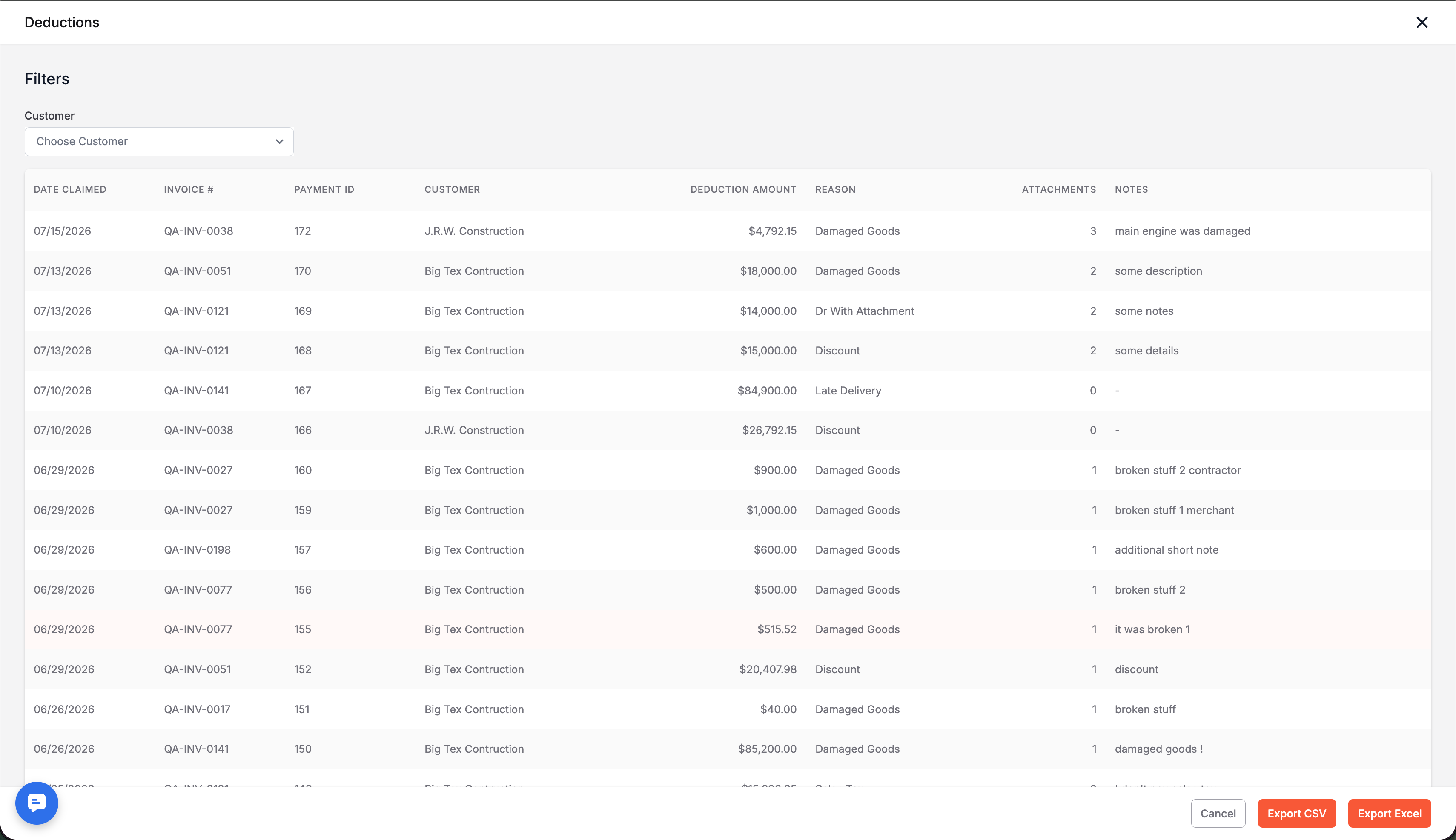
Deduction Reasons
Deduction reasons live in Settings, under AR Automation. You start off with a standard list, and can add your own, rename them, and turn them on or off. You can also require a description, an attachment, or both on any reason. If a reason has already been used on a payment you can still disable it, you just can't delete it.
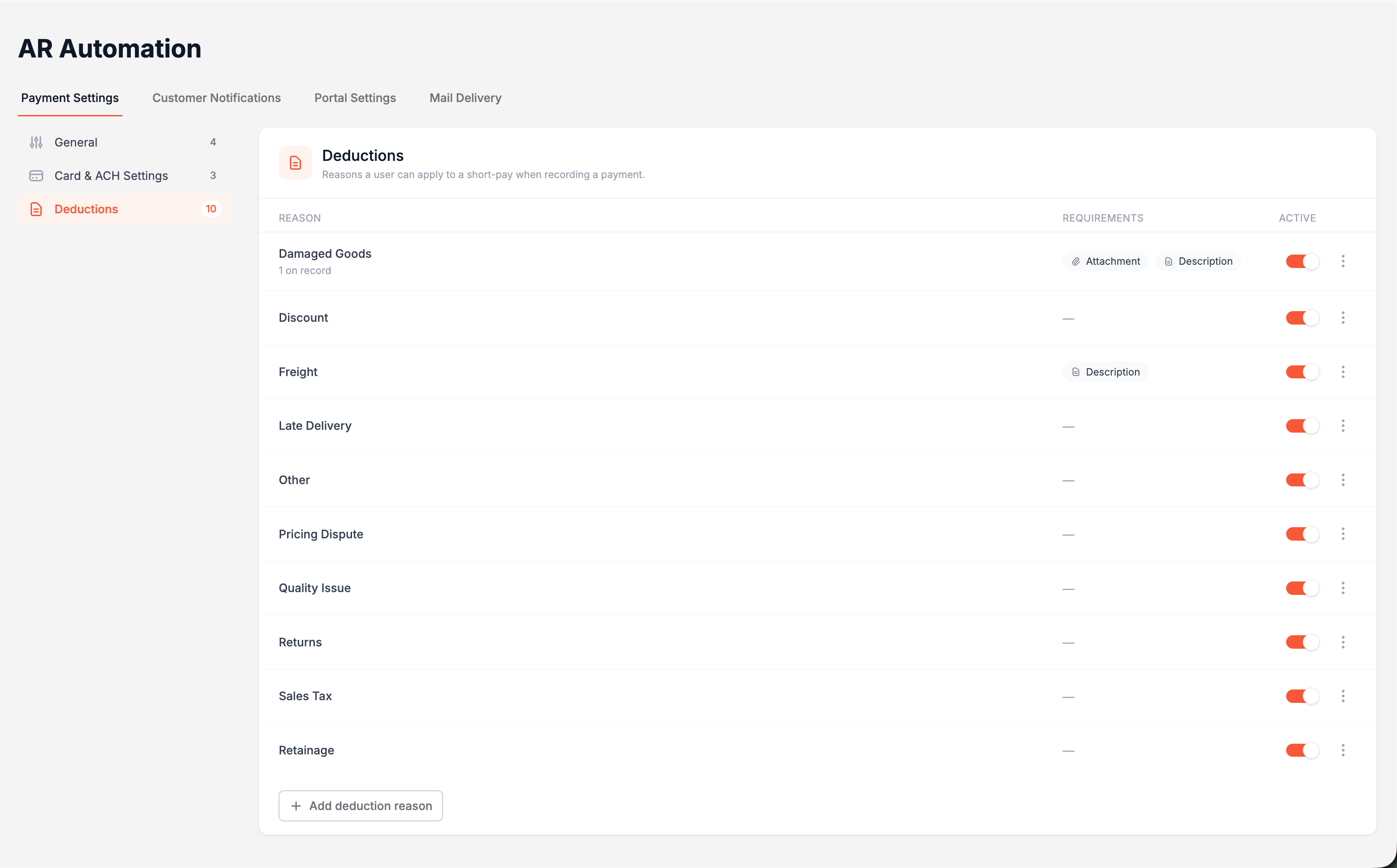
When an invoice isn't paid in full, the reason gets picked right on the invoice line, with a description and any associated attachments (when you make them required). This works whether your team is taking the payment directly through the merchant portal or your customer is paying through their own portal. This information is recorded on the payment, in dedicated fields.
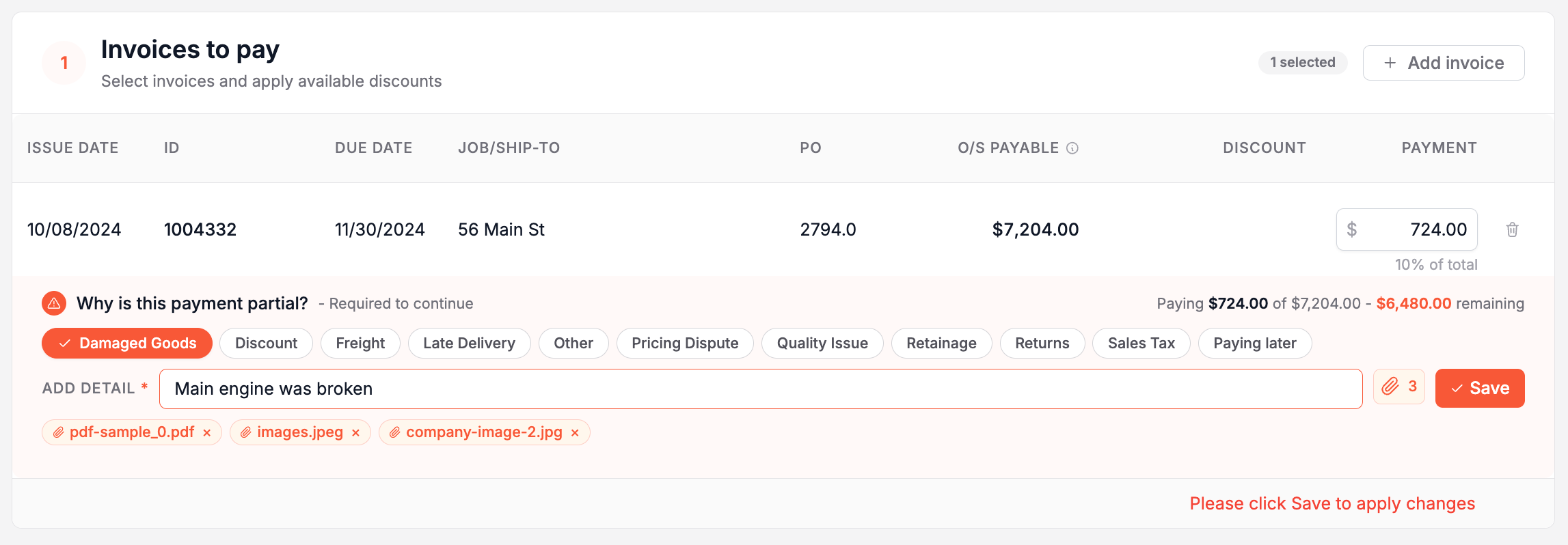
Sometimes a customer may short pay because they plan to pay the remaining balance later. In that case, they can choose "Paying Later", set a promise date, and add a note, and Suppli records it as a promise to pay so it's easy to follow up.
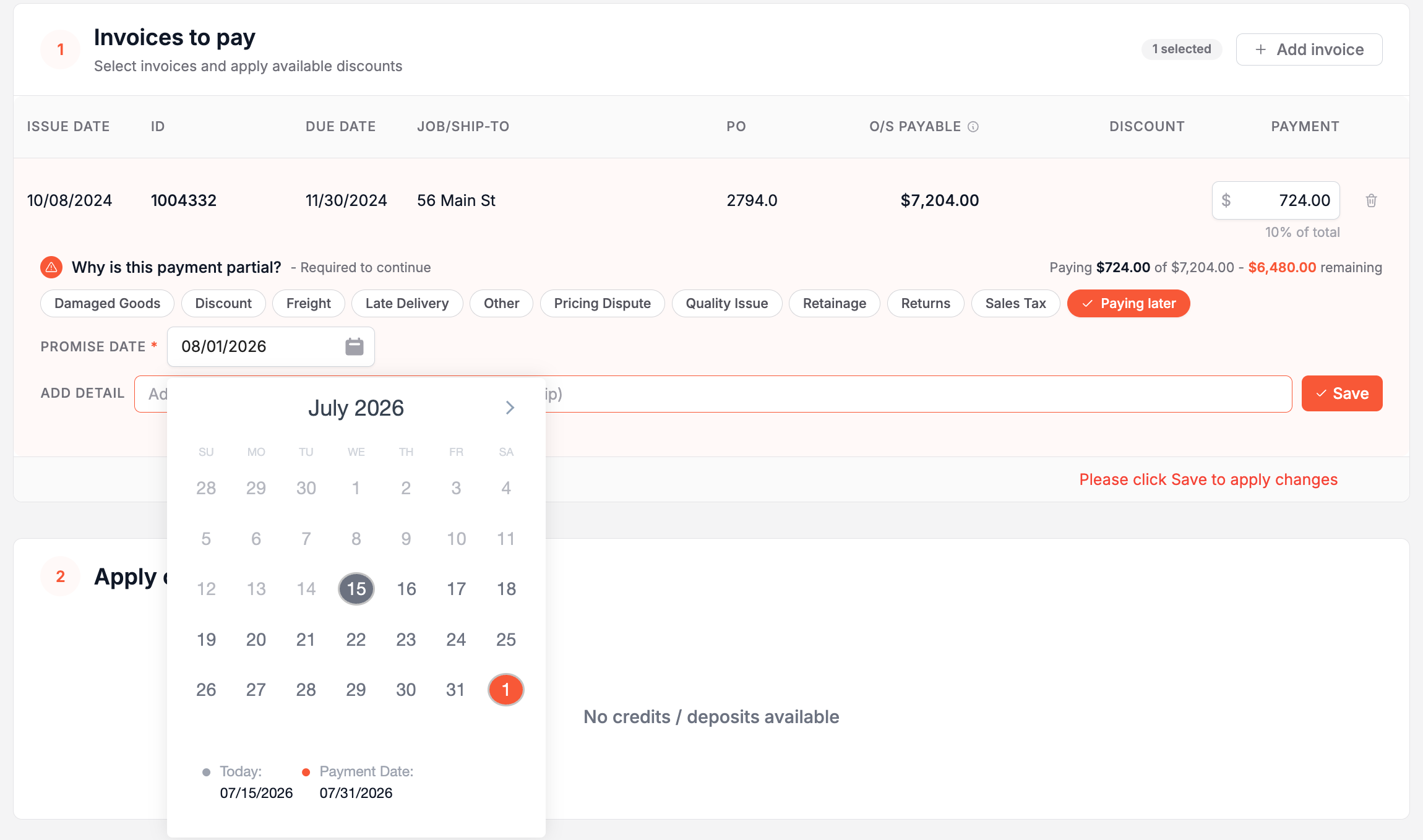
There's also a new Deductions report that pulls all this information together, with the deduction amount, the reason, how many attachments, the payment, and the invoice number.