
Accounts Receivable Snapshot
On the Dashboard page, you can find graphics that allow easy visualization of important statistics.
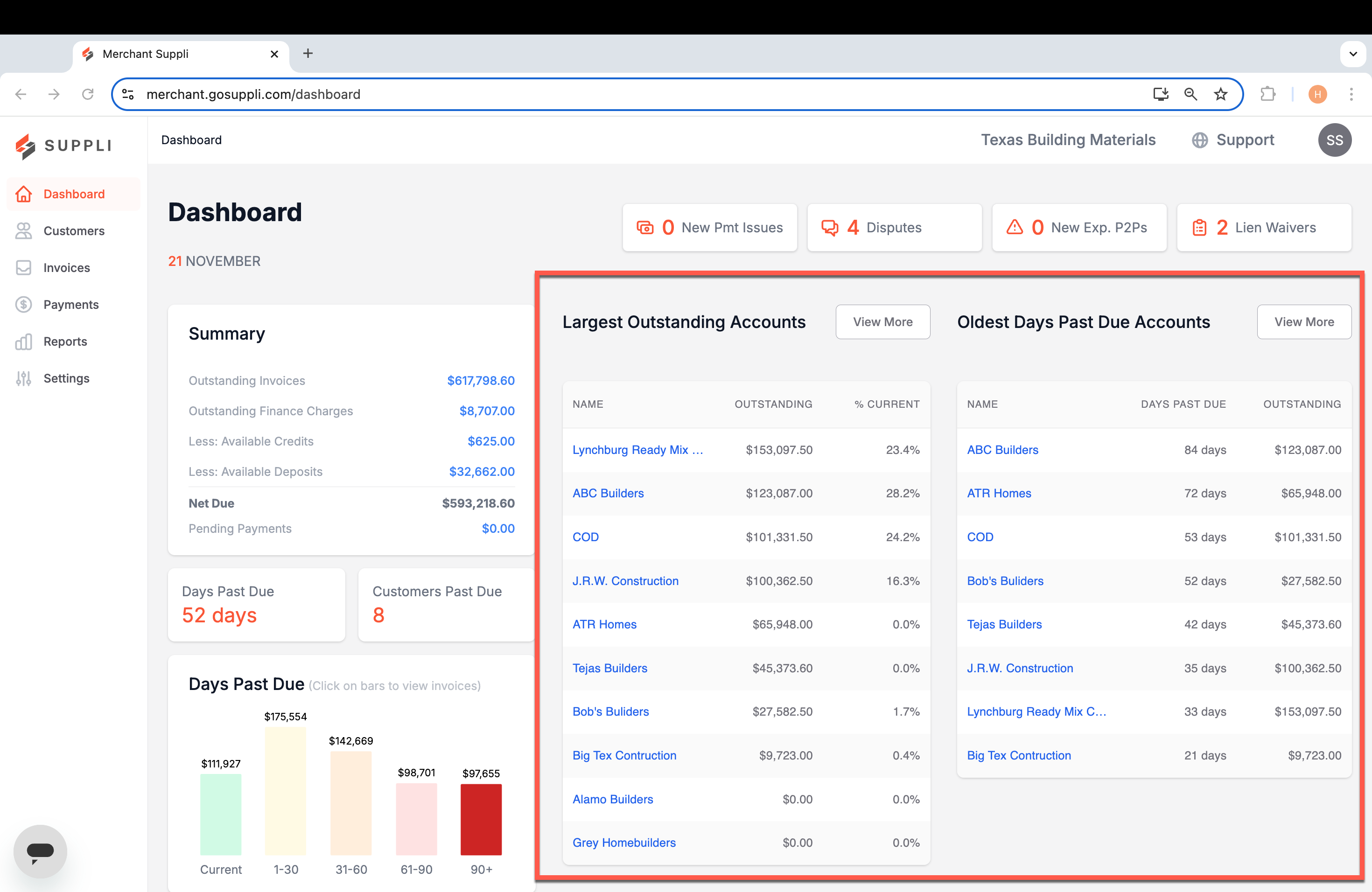
Outstanding Accounts
Summary tables of your largest outstanding and oldest days past due customers. By default, we show up to 10 customers in each table, but you can click "View More" to see the entire report.
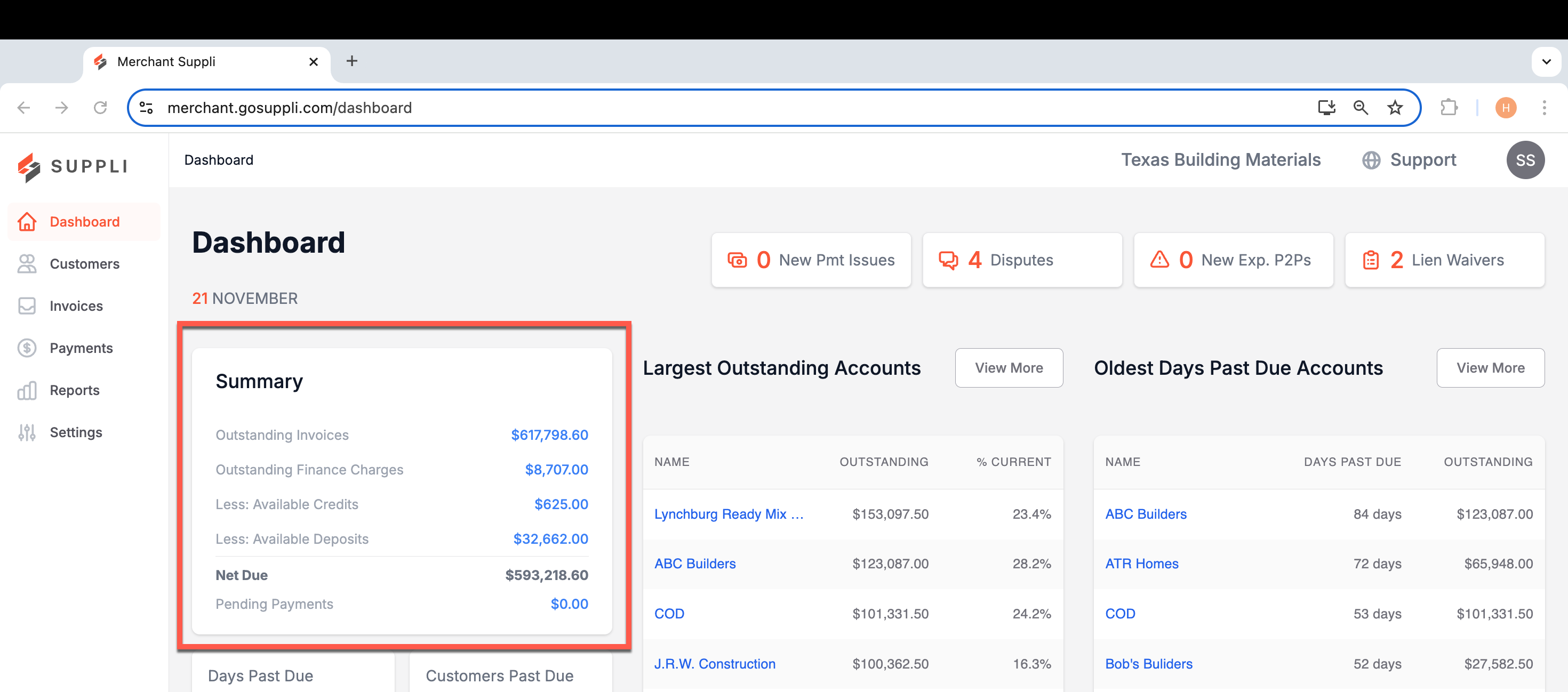
Summary
A snapshot of total dollar amounts due across your company. You can click any of the blue numbers to be directed to a report of all invoices associated with that number.
Days Past Due
The bottom left-hand corner of the dashboard shows a summary of all invoices and their aging status. Click the relevant bar to navigate to a page with invoices filtered to that specific aging status.
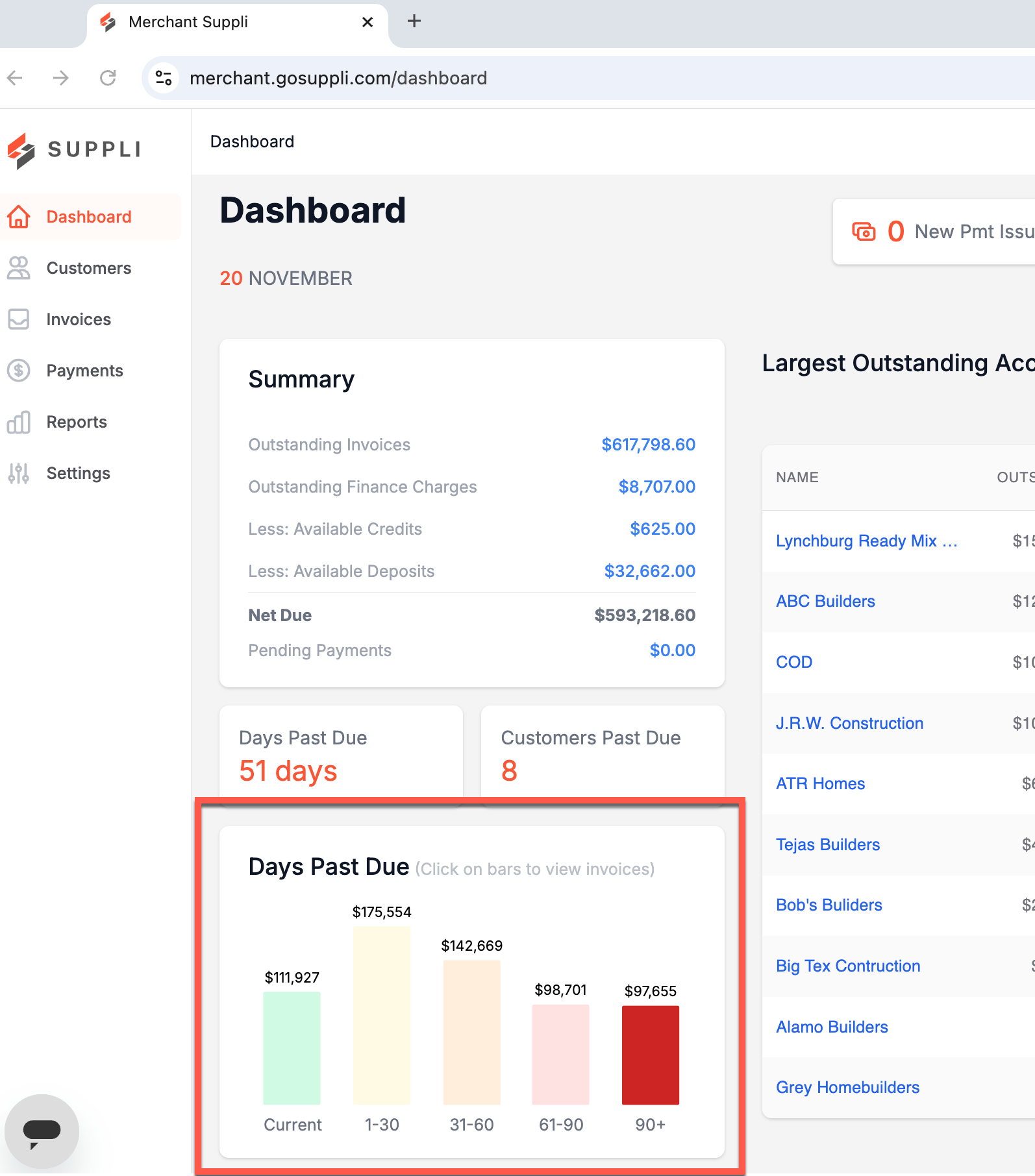
Above this graphic, you'll see two cards - Days Past Due and Customers Past Due.
Days Past Due: Indicates the average number of days overdue across all invoices.
Customers Past Due: Indicates the number of customers with overdue invoices.
Aging Status
Suppli organizes invoices into the following days past due (aging) statuses.
Current:

1 - 30 Days Past Due:

31 - 60 Days Past Due:

61 - 90 Days Past Due:

90+ Days Past Due:

Please note that in Suppli, "days past due" is measured from the invoice due date.