
AR Automation - Customer Notifications
The Customer Notifications section lets you manage which notifications are sent to your customers. You can turn each notification on or off, depending on your preferences. You can also customize if these notifications are sent via email, text message, or both. Text messages will only be sent when a mobile number is on file. Suppli batches invoices together into one email/text to reduce repetitive notifications.
** PLEASE NOTE: To adjust settings for a specific customer, please go to their Customer Page, click on the Settings tab, and click on Notifications. **
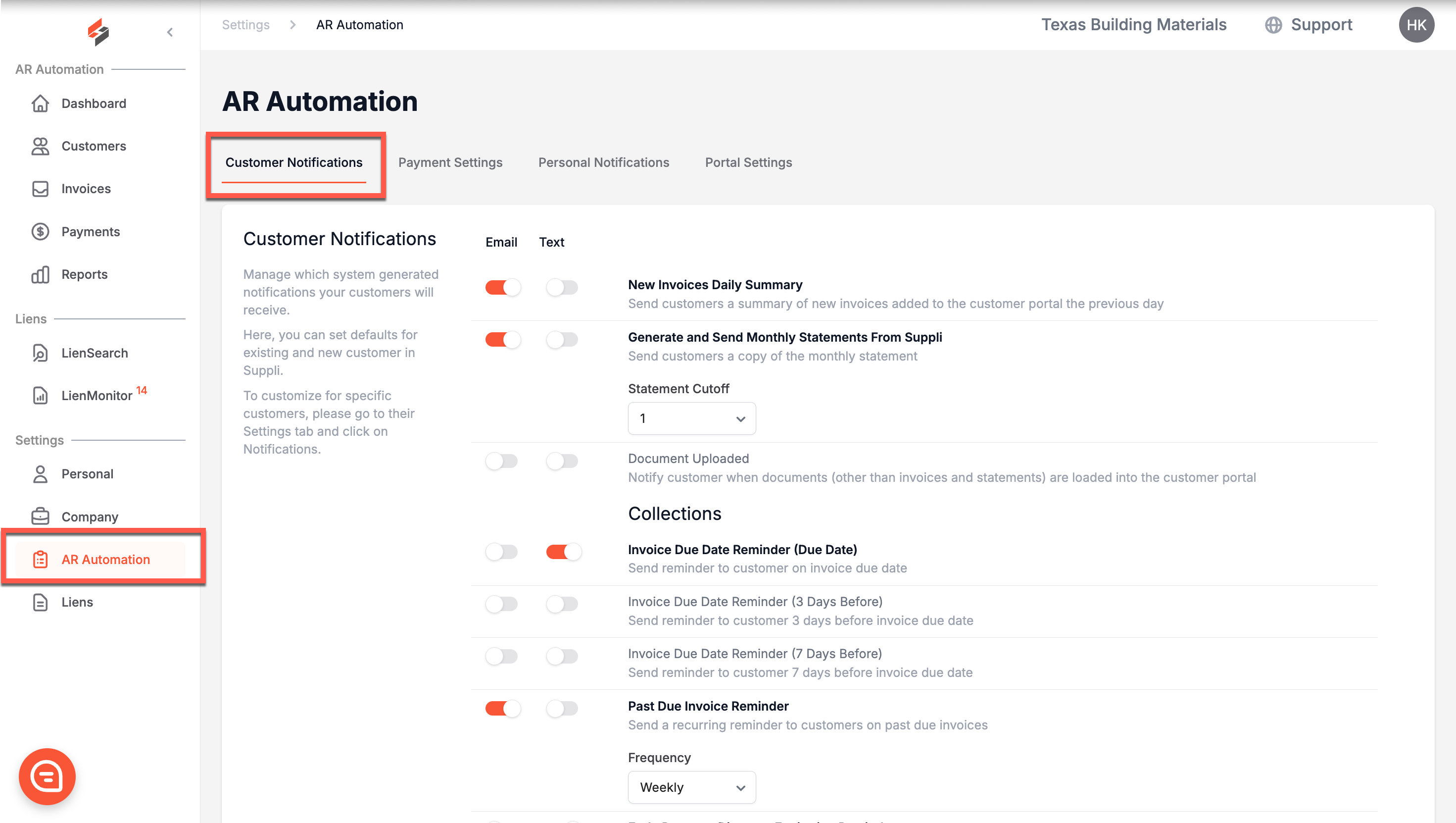
Notifications
General
New Invoices Daily Summary: Send customers a summary of any new invoices added to their Suppli customer portal the previous day.
Generate and Send Monthly Statements from Suppli: Send customers a copy of the monthly statement. You can set the Statement Cutoff to be any day of the month. Statements are then generated at 4 a.m. local time the day after the selected cutoff date and sent to the customer accordingly.
Document Uploaded: Notify customers when documents (other than statements and invoices) are uploaded to their customer portal.
Collections
Invoice Due Date Reminder (Due Date): Notify customers on the invoice due date
Invoice Due Date Reminder (3 Days Before): Notify customer 3 days before the invoice due date
Invoice Due Date Reminder (7 Days Before): Notify customers 7 days before the invoice due date
Past Due Invoice Reminder: Notify customers when invoices are past due. You can set this reminder to occur daily, weekly, or bi-weekly.
Early Payment Discount Expiration Reminder: Notify customers on the day their early payment discounts are to expire.
Transactional
Successful Payment (External Payment or Credits/Deposits): Notify when an invoice or deposit payment is entered through Suppli using the External Payment or Credits/Deposits method
Initiated ACH Payment: Notify when an ACH payment for an invoice or a deposit is initiated
Voided Payment (Card or ACH): Notify when a successful invoice or deposit payment made through Suppli via Card or ACH is voided
Voided Payment (External Payment or Credits/Deposits): Notify when a successful invoice or deposit payment made through Suppli using the External Payment or Credits/Deposits methods is voided
Promise-to-Pay (P2P): Notify when a P2P has been created, updated, canceled, or expired
Promise-to-Pay (P2P) Expiration Reminder: Notify one day before a P2P is set to expire
Autopay Enrolled: Notify when a customer has enrolled their account for autopay
Autopay Unenrolled: Notify when a customer has unenrolled their account from autopay
Expiring Payment Method Reminder: Notify when a customer's payment method is expiring in the current month
Payment Method Saved: Notify when a new card or ACH payment method is added to a customer's account
Payment Method Deleted: Notify when a saved card or ACH payment method is deleted from a customer's account
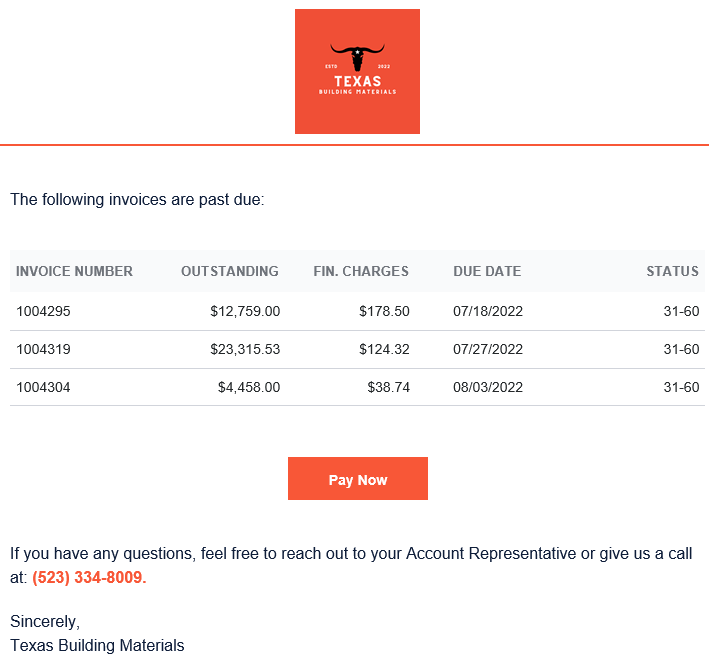
Example Email
All emails are sent from "Suppli Notifications" using the email address team@gosuppli.com.
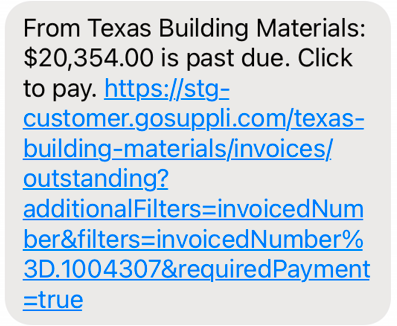
Example Text Message
All texts are sent from (757) 982-8656.
Send Times
All notifications are sent daily at 9 AM ET / 6 AM PT by default.
Who Are Notifications Sent To?
Any notifications that are toggled on will be sent to any customer contacts that have been invited to Suppli. We assume that by virtue of being invited, you want the customer contact to receive notifications that will prompt them to accept their invitation and use the customer portal. They will not receive notifications only if a customer contact has not been invited, or if they have been invited but their individual notification settings have been adjusted to override these global settings.