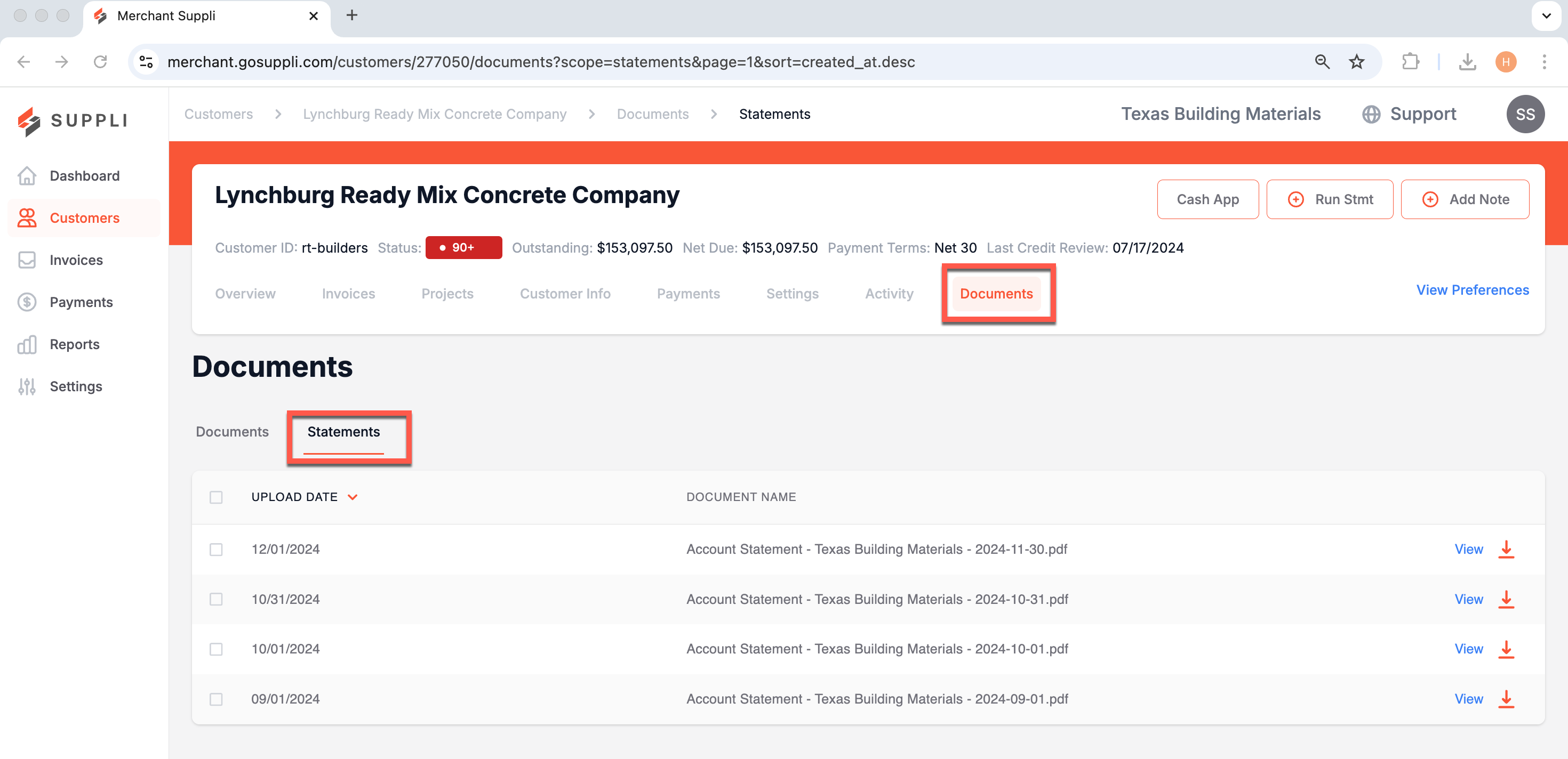
Customer Documents
Use the Documents Section to view and store documents related to a specific customer.
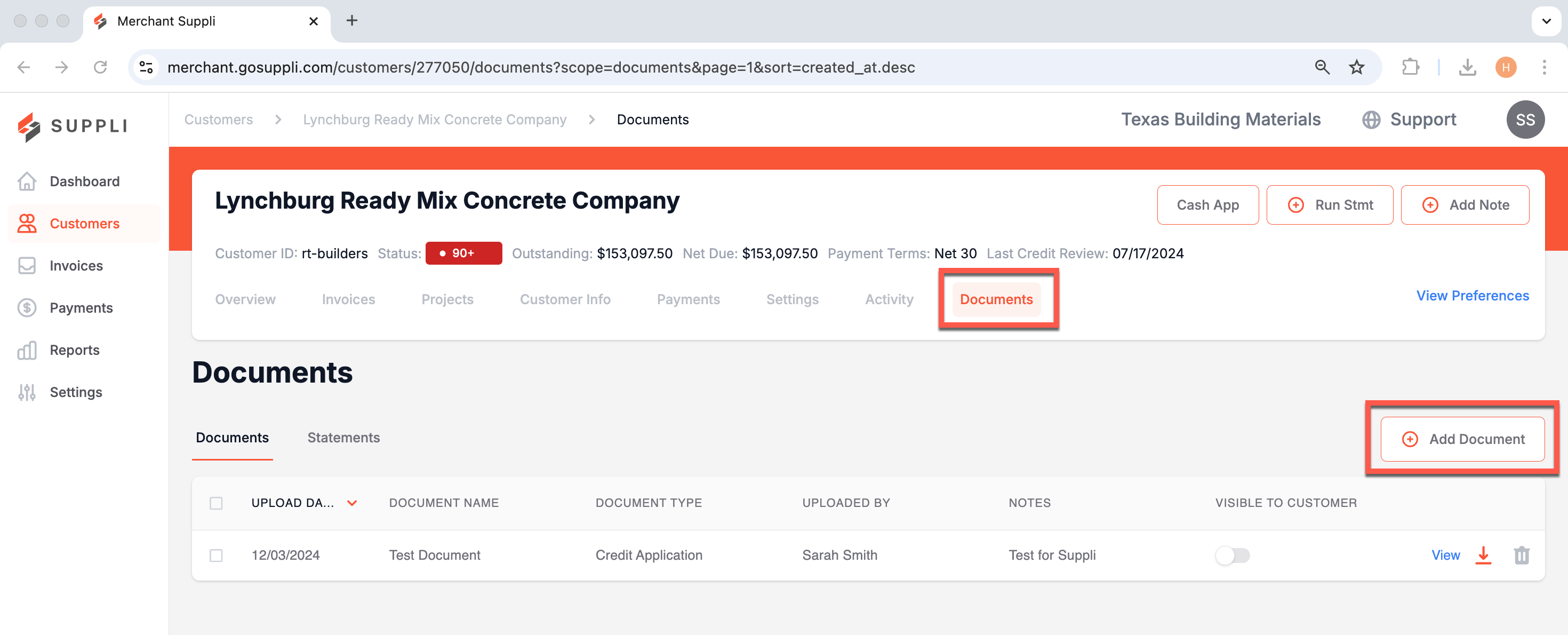
To Add a Document, select the "+ Add a Document" button in the upper right hand corner and follow the modal that pops up:
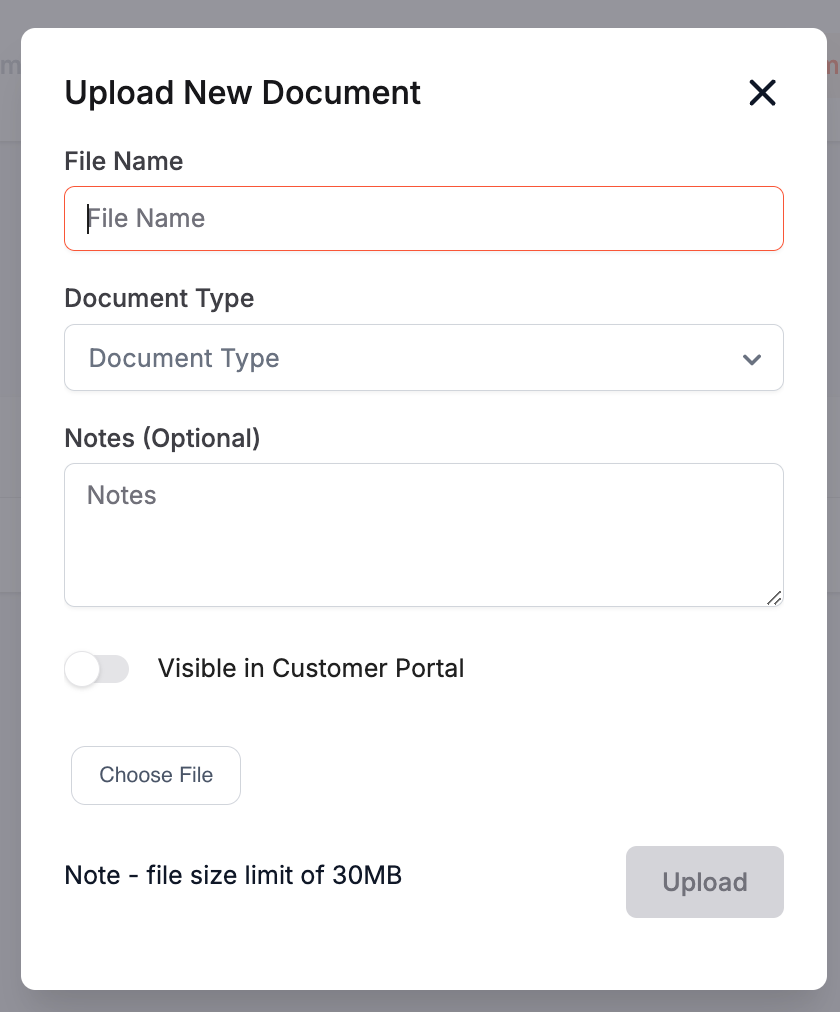
Suppli has built-in tags to allow you to organize uploaded documents by document type, including:
Credit Application
Job Sheet
Job Contract
Tax Exempt Form
Bonding Information
Lien Document
Commercial Credit Report
Personal Credit Report
Other
Visibility in the Customer Portal
Additionally, when you upload a document, you can choose whether or not to allow it to be visible to your customer within their Customer Portal. Just toggle the button associated with "Visible in Customer Portal" for the document in question.
Statements
Statements (whether generated in your ERP or Suppli) are automatically stored in this section. You can view or download them using the appropriate buttons in the relevant row.