AR Automation - Portal Settings
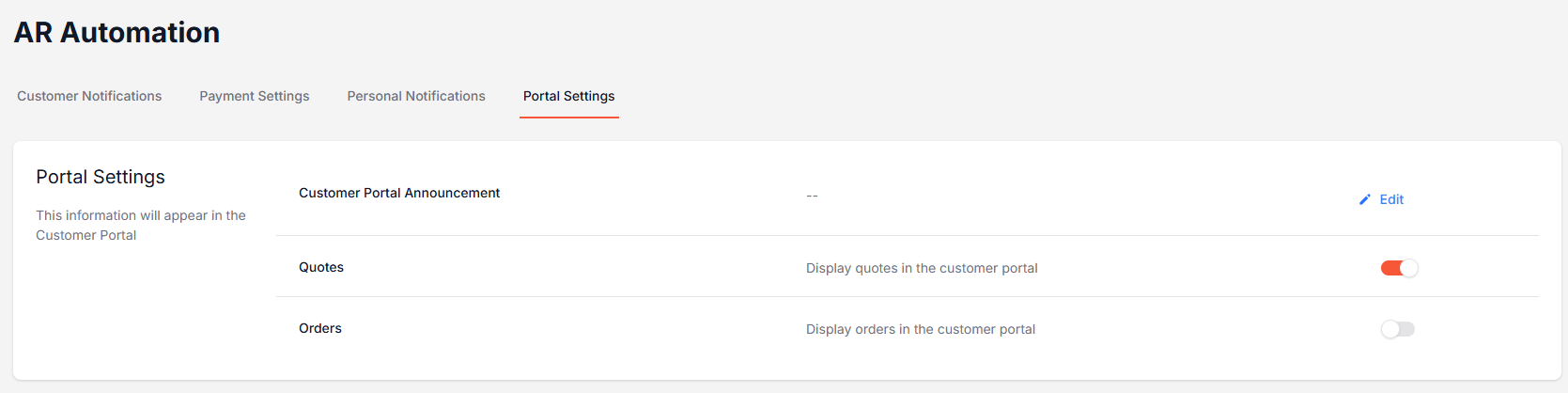
There are three settings specific to the Customer Portal that can be changed within the AR Automation > Portal Settings category:
Customer Portal Announcement
Quotes (only relevant for merchants who use Bistrack)
Orders (only relevant for merchants who use Bistrack)
Customer Portal Announcement
The Customer Portal Announcement setting allows you to set a custom message that your customers will see upon logging in to their customer portal. To write a message, simply click the "Edit" button, type your message, and click "Save."
If the announcement is left blank, no message is shown. If you choose to write a message, it will appear in an orange box on the Dashboard home page, as pictured below:

Quotes and Orders
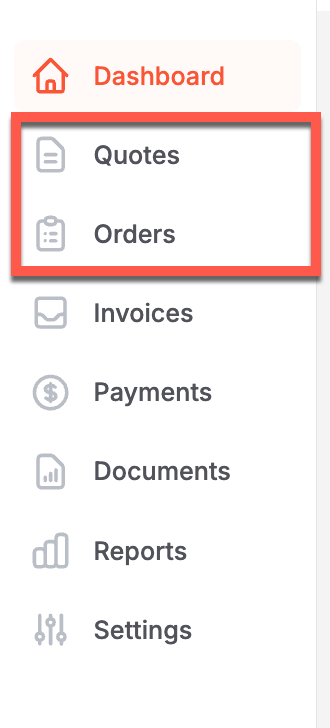
This setting allows merchants who integrate Bistrack with Suppli to turn on or off the ability for their customers to view quotes and orders in their customer portal. If you do not use Bistrack, these settings will not be available for you to turn on.
When toggled on, there will be an additional tab on the left-hand navigation sidebar for your customers to see. When toggled off, these tabs will not be visible.