How can I see what my customer sees?
Edited
If your customer calls you asking for assistance, navigating without seeing things from their perspective can be hard. That's why we built the "View as Customer" feature.
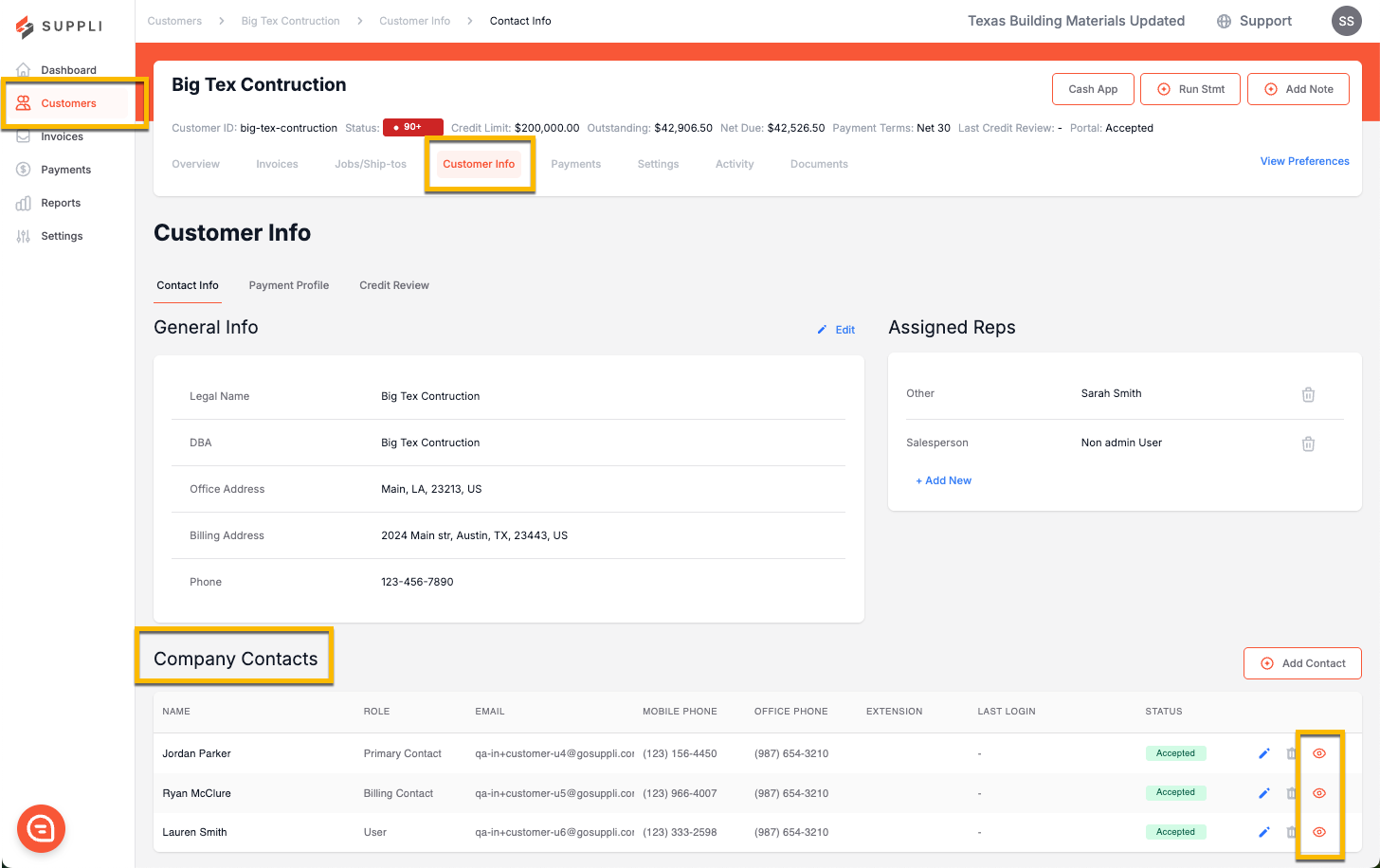
To use the feature, navigate to the Customer's page and click "Customer Info," then scroll down to "Company Contacts." You will see a list of all of the users associated with that customer. You'll then want to click on the eye icon for a customer user. This will open a new tab, where you'll have a view-only perspective of their Customer Portal. You can click around to navigate, but you won't be able to take any actions within their portal, like creating a payment or disputing an invoice.